Odoo is an open-source business management platform that provides applications to manage various business operations, including sales, customer relationships, accounting, inventory, and invoicing. The...
Odoo is an open-source business management platform that provides applications to manage various business operations, including sales, customer relationships, accounting, inventory, and invoicing.
The Odoo Sales module helps businesses manage their sales activities, starting from creating quotations and confirming sales orders to delivering products and generating invoices. It provides tools for managing product pricing, customer information, quotation templates, and the overall sales workflow.
With the release of Odoo 20, it is important to understand how the Sales application has evolved compared with Odoo 19. Changes in the interface, dashboard, quotation management, pricing, and order processing can influence how businesses manage their daily sales operations.
This article compares the Sales modules in Odoo 19 and Odoo 20 by examining their features and testing the available functionality in both versions. It also explores the practical benefits of the changes and considers whether upgrading to Odoo 20 is worthwhile for businesses.
Overview of the Odoo 19 Sales Module
The Odoo 19 Sales module is designed to manage the sales process, from preparing quotations to confirming sales orders, delivering products or services, and generating customer invoices. It provides businesses with a centralized platform to organize and monitor their sales activities.
- Quotations and Sales Orders
The sales process generally begins with a quotation, which contains the proposed products or services, quantities, prices, taxes, and other commercial terms. Once the customer accepts the quotation, it can be confirmed and converted into a sales order.
Sales orders act as the confirmed record of the transaction and provide the basis for subsequent delivery and invoicing activities.
- Product and Pricing Management
The Sales module allows users to manage products and services offered to customers. Businesses can configure product details, product variants, pricing rules, pricelists, discounts, and different currencies.
These options help sales teams prepare quotations according to customer requirements and agreed pricing conditions.
- Quotation Management
Odoo 19 provides quotation management features that help salespeople prepare and send professional quotations. Users can work with quotation templates, optional products, quotation deadlines, and online signatures.
- Delivery and Invoicing
After a sales order is confirmed, the business can proceed with delivering the products or services. Invoices can be generated based on the ordered quantities or delivered quantities, depending on the configured invoicing policy.
Odoo 19 vs Odoo 20: Key Sales Module Improvements
Sales Dashboard
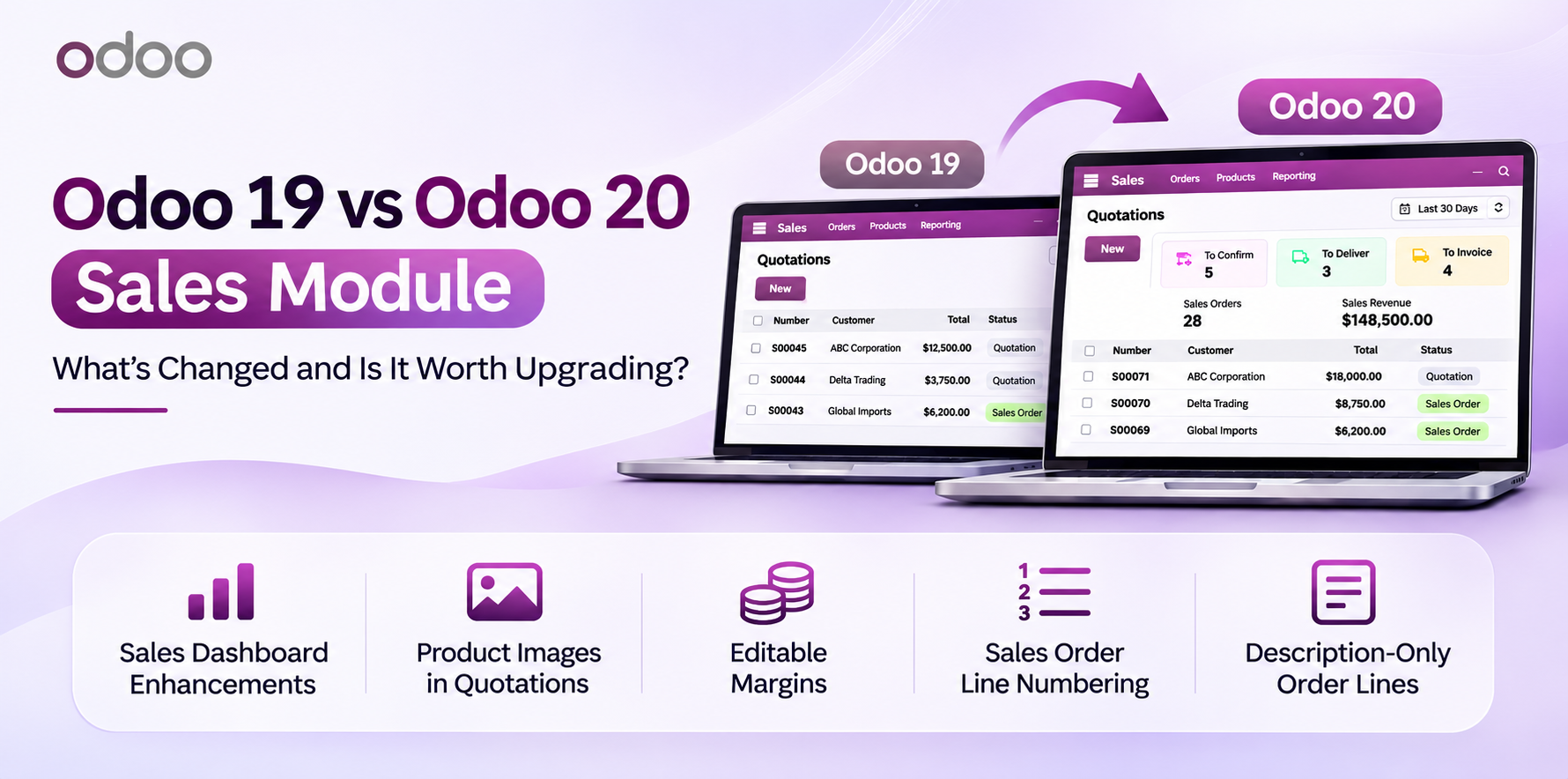
The Sales dashboard provides an overview of sales activities and order information. The two versions display different information on the quotations page.
In Odoo 19, the quotations view displays sales records in a list, including the order number, creation date, customer, salesperson, total amount, and order status.
In Odoo 20, the quotations view includes three status cards: To Confirm, To Deliver, and To Invoice. It also provides a date filter and displays the Sales Orders count and Sales Revenue for the selected period.
Product Images in Quotation Preview
Product images help customers identify the products included in a quotation. Odoo 20 allows businesses to display product images in the customer-facing quotation preview by enabling the Display Product Images setting in the Sales configuration.
Once enabled, product images appear alongside the corresponding product details when customers preview the quotation. This provides a more visual presentation and helps customers understand the products being offered.
Editable Margins in Sales Order Lines
Odoo 20 introduces the ability to edit the margin directly from the sales order lines. Changing the margin automatically updates the unit price while keeping the unit cost unchanged.
In comparison, although Odoo 19 displays the Margin and Margin (%) fields, the margin cannot be edited directly.
This functionality provides sales teams with greater flexibility when adjusting product prices and managing profit margins.
Sales Order Line Numbering
Odoo 20 provides a Line Numbers option in the Sales configuration, allowing users to display sequential numbers for sales order lines. This helps organize product lines and makes it easier to identify individual items in quotations and sales orders.
Unlike Odoo 20, Odoo 19 does not include the Line Numbers feature.
Description -Only Sales Order Lines
Odoo 20 allows sales teams to add custom descriptions directly to sales order lines without selecting an existing product. This provides greater flexibility when including one-time services, additional charges, or items that are not part of the product catalogue.
In Odoo 19, sales order lines are based on selecting an existing product.
Reusable Quotation Section Templates
Odoo 20 allows users to save quotation sections along with their associated product lines as reusable templates. For example, a section named Installation Services can contain multiple products and be saved for future use.
These saved sections can be reused in other quotations without manually adding the same products again. This helps sales teams save time and maintain consistency when preparing similar quotations.
Unlike Odoo 20, Odoo 19 does not include the Save as Template option in the quotation section menu.
Is Upgrading to Odoo 20 Worth It?
The comparison between Odoo 19 and Odoo 20 highlights several improvements in the Sales application, particularly in quotation management, pricing flexibility, and sales order customization.
Features such as editable margins, sales order line numbering, description-only order lines, and reusable quotation section templates provide additional flexibility for sales teams. Product images in quotation previews also help businesses present their quotations more effectively.
For businesses that frequently use the Sales application, these enhancements make Odoo 20 worth considering. However, upgrading decisions should also take into account existing customizations, integrations, business requirements, and migration costs.
Overall, Odoo 20 offers useful improvements to the Sales workflow and provides businesses with additional tools to manage their sales operations efficiently.
Ready to see this in your business?
Book a free demo and we'll show you exactly how AGM runs it on Odoo.