Odoo Project is a modul in which we can track tasks and projects from start to completion in an efficient and organised manner.
Once you open the project module you will navigate towards the project page with a kanban view and each project is shown as cards.
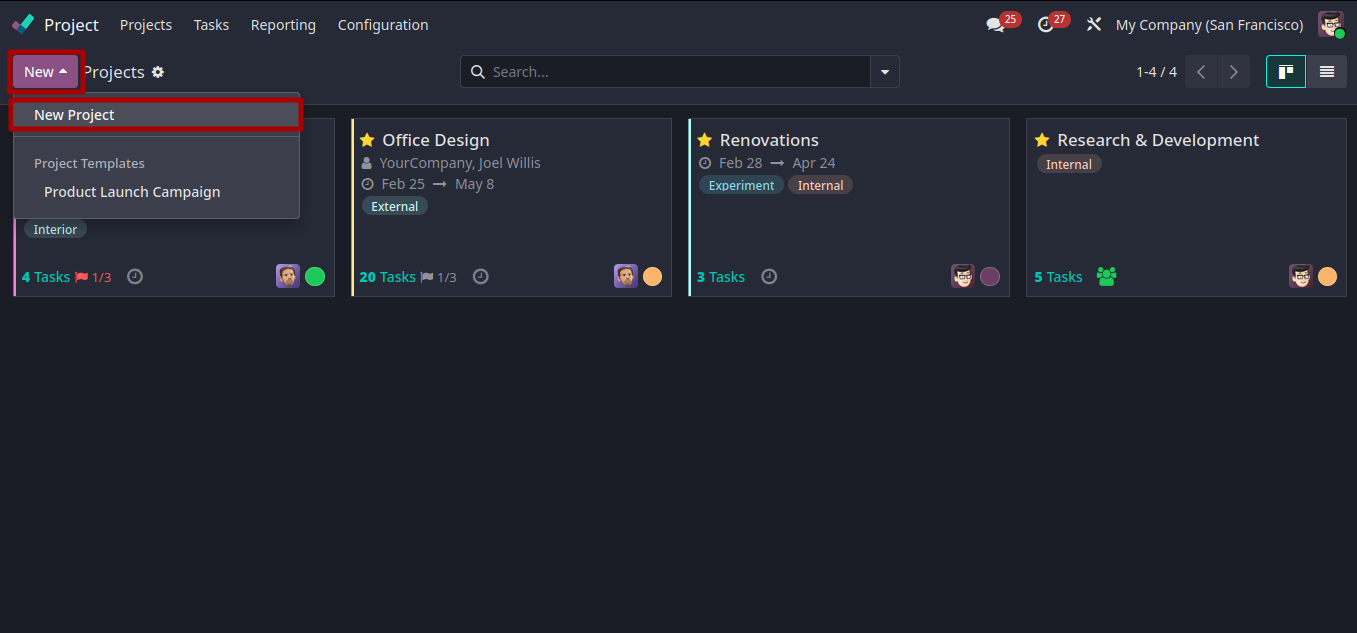
You can create a new project by clicking the New button.
The new project option opens up a pop-up box where you have to enter the project name and click the Create Project button.
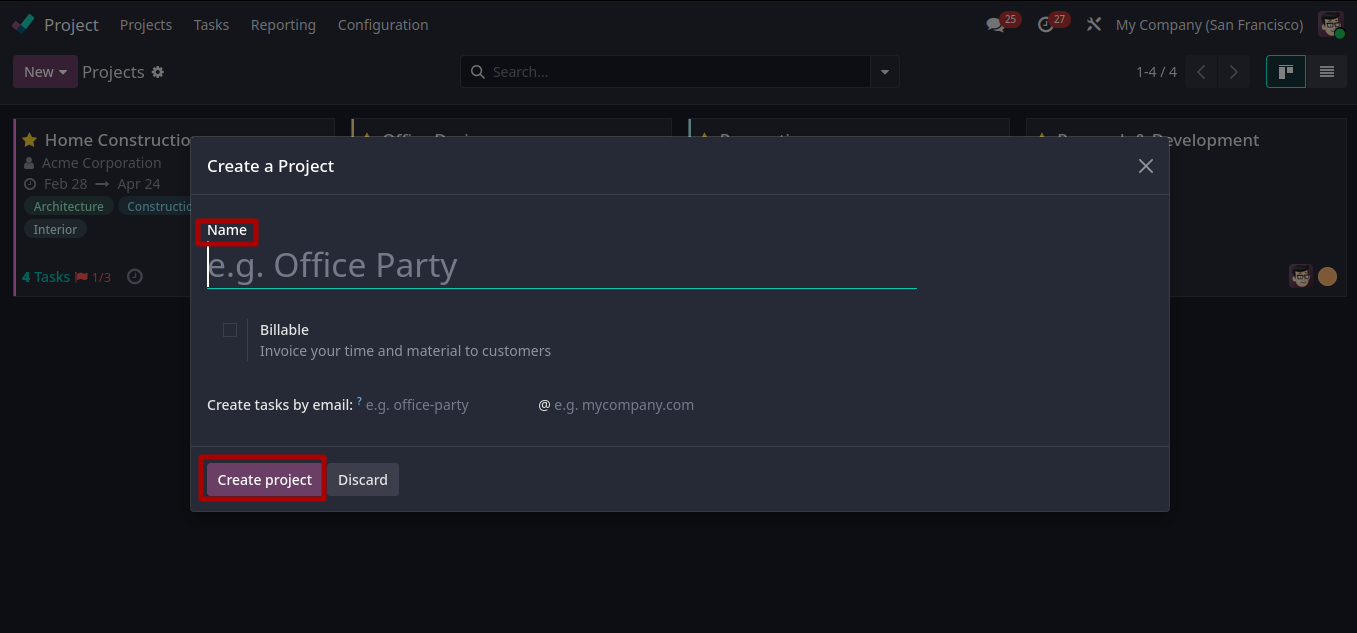
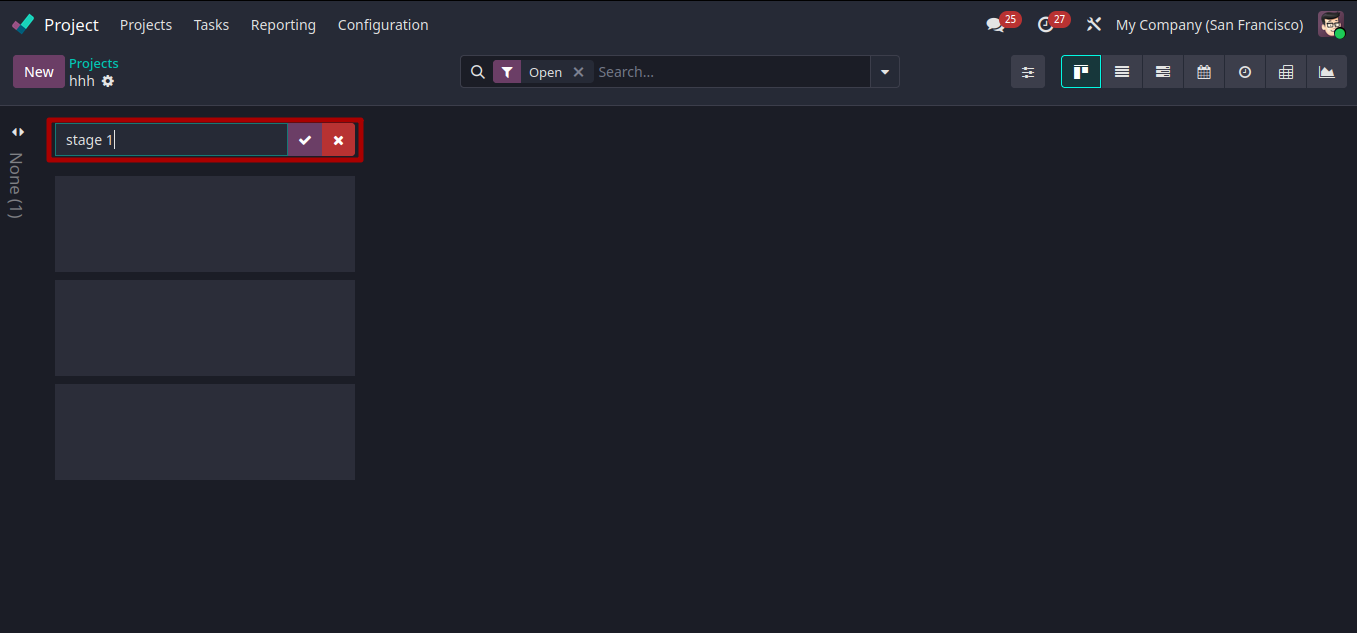
If you create a project successfully, the next step is to create stages.
For creating stages you only need to enter stage names as shown below.
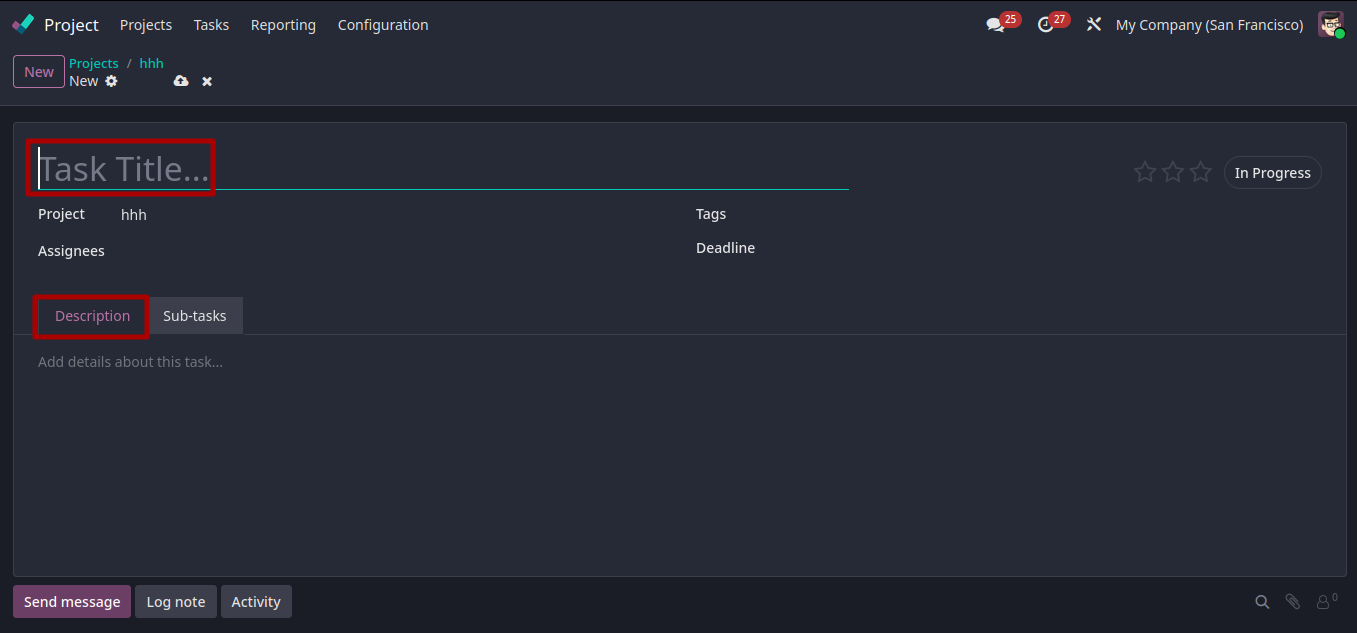
After creating stages you can create tasks, by clicking the new button as shown below.
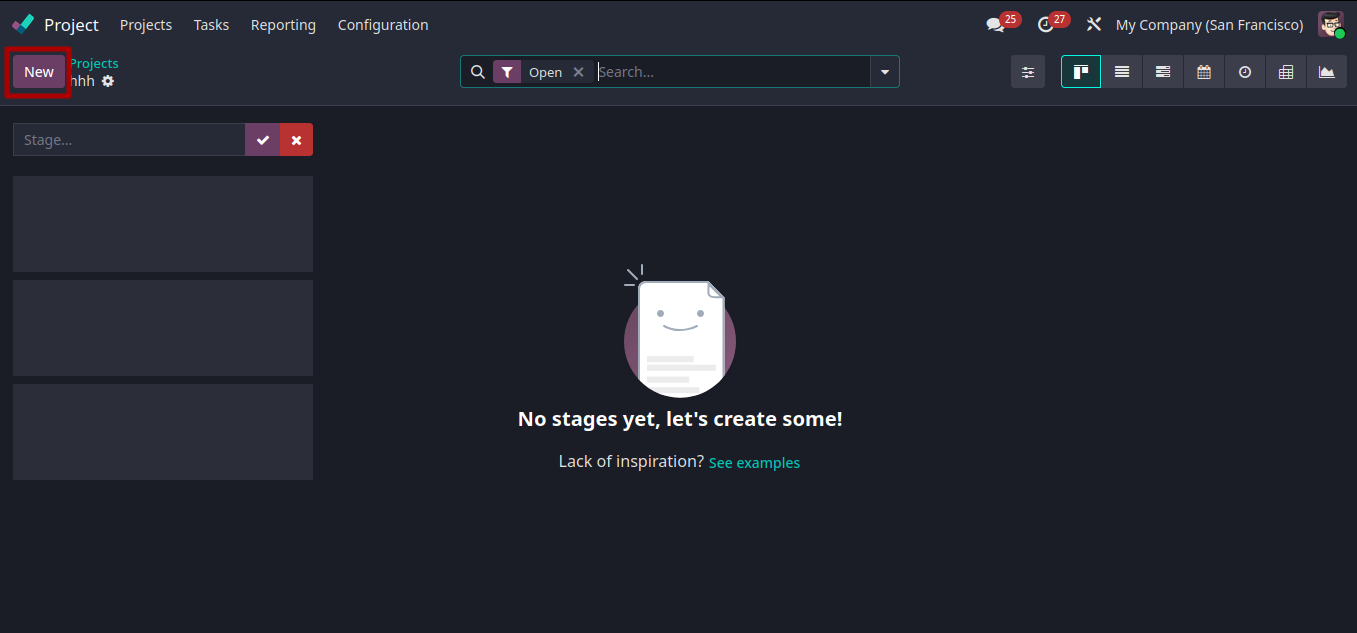
The new button opens a form view, where you have to give the task title and description for your task.you can also set task priorities.
Project Module In Odoo 19 Enterprise